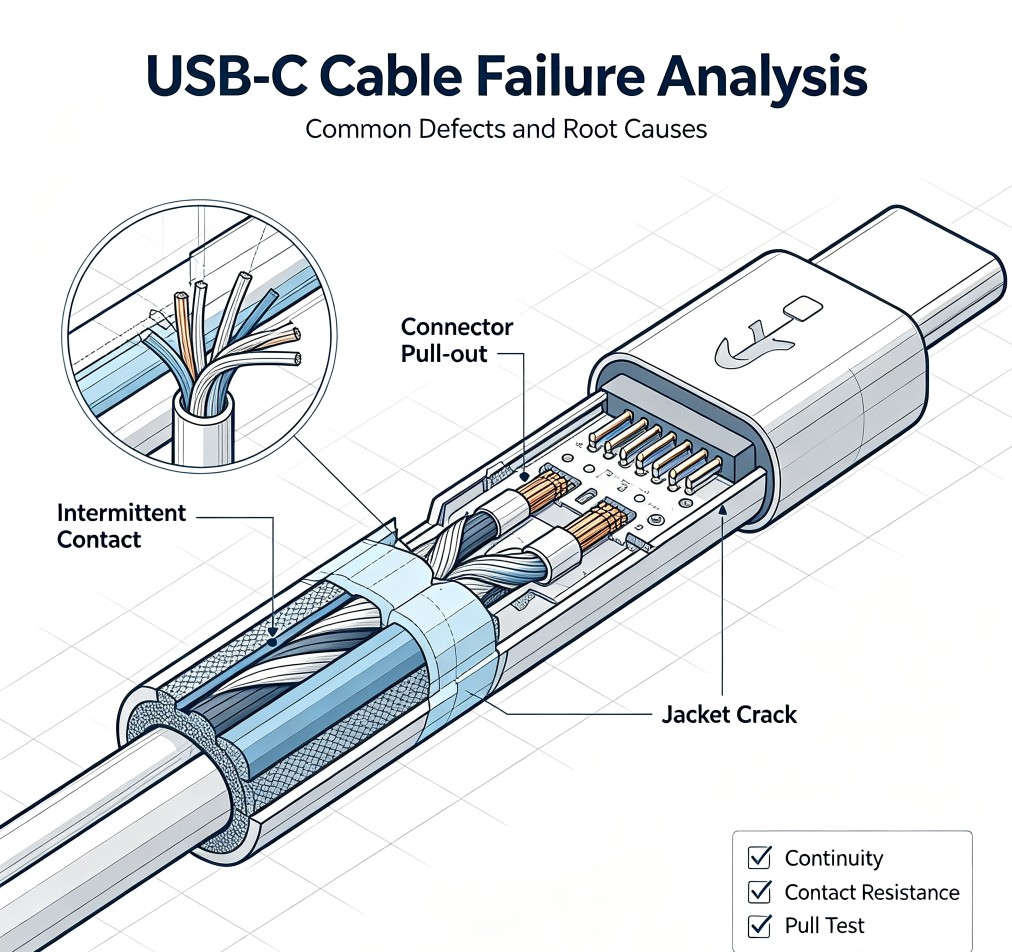
This article analyzes the most common USB-C cable failures reported in consumer electronics, explains why they happen, and shows how to prevent them before mass production.
1. Intermittent Charging or No Charging
Symptom
The cable works sometimes, but other times the phone or laptop does not start charging at all. Moving the cable near the connector makes the charging icon appear and disappear.Root Causes
- Cold or weak solder joints: Internal wires not properly soldered to USB-C connector pins, causing intermittent electrical contact.- Stretched or broken power conductors: Internal VBUS/GND wires fractured near the strain relief after repeated bending.
- Poor connector retention: The USB-C plug does not hold firmly in the device port, causing loose contact.
- High contact resistance: Oxidation or contamination on connector pins increasing resistance and dropping voltage below the device's charging threshold.
Prevention
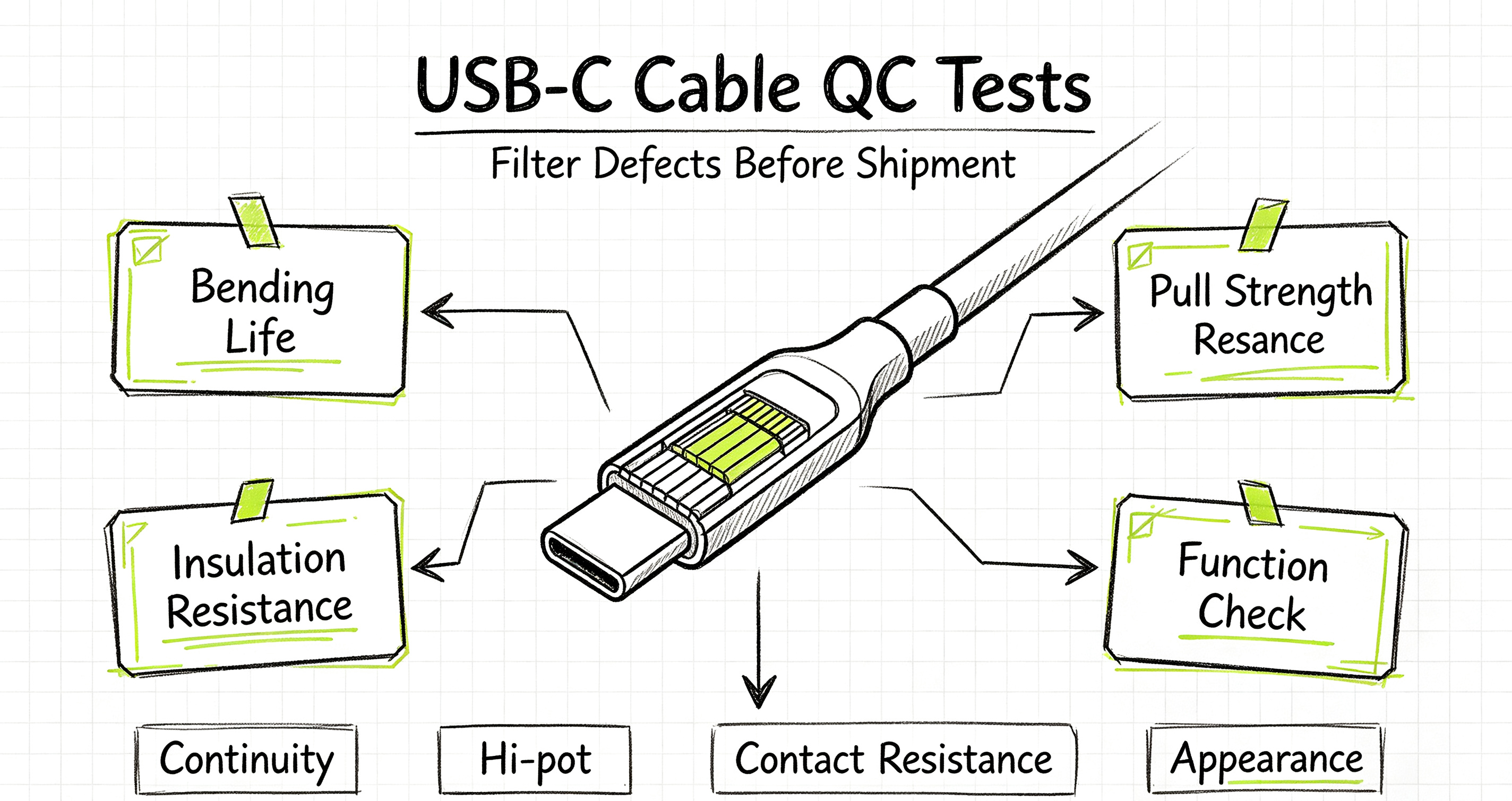
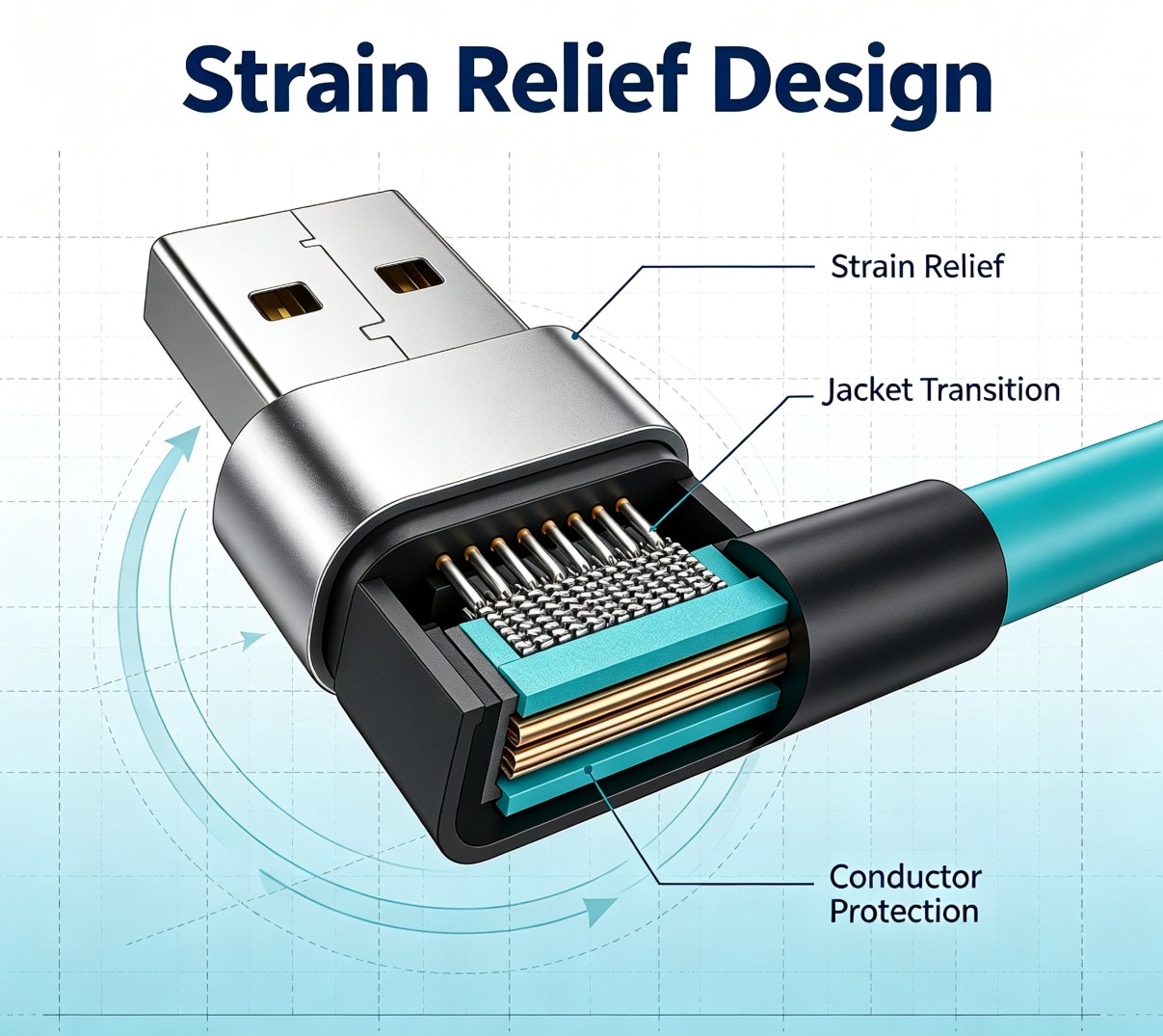
- Implement 100% continuity and contact resistance testing on every batch.- Optimize strain relief design to reduce bending stress at the connector.
- Use quality connectors with proper plating and retention force.
- Reference our USB-C cable quality control guide for the full test checklist.
2. Slow Charging or Reduced Power Delivery
Symptom
The cable charges, but much slower than expected. A 60W charger only delivers 18W, or fast charging never kicks in.Root Causes
- Undersized power conductors: Too-thin AWG wire causing high resistance and excessive voltage drop.- Missing or damaged CC wire: The Configuration Channel wire not properly connected, so the device cannot negotiate high-power PD profiles.
- Poor cable quality for PD: Standard charging-only cable used for a high-power application.
Prevention
- Select the correct AWG for your target power level. Read our USB cable AWG and voltage drop guide to calculate conductor size.- Verify CC wire continuity during electrical testing.
- Specify cable power rating clearly on the RFQ. See our custom cable assembly RFQ guide for all required parameters.
3. Data Transfer Failure or Slow Data Speed
Symptom
Charging works fine, but the computer does not recognize the phone, file transfer is extremely slow, or the device drops to USB 2.0 speeds on a cable labeled USB 3.2.Root Causes
- Miswired or broken data pairs: D+ / D- or SuperSpeed differential pairs not correctly terminated.- Poor impedance control: Uncontrolled twist pitch causing signal reflection and reduced bandwidth.
- Missing or inadequate shielding: Noise interference corrupting high-speed signals.
Prevention
- Specify the exact USB version and data rate on your product specification. Compare USB 2.0 vs USB 3.2 to set the right expectation.- Include data function testing in your QC process.
- For high-speed applications, require proper shielding — see our cable shielding, EMI and EMC guide.
4. Cable Jacket Cracking or Jacket Split
Symptom
The outer jacket cracks near the connector, splits along the length, or becomes hard and brittle after a few months of use.Root Causes
- Wrong jacket material: PVC or low-grade TPE used in a flexing application.- Mold temperature too high: Overheating during the over-molding process damages the jacket material.
- Excessive bending stress: Poor strain relief design concentrating all bending force at one point.
- Low-quality plasticizer: Cheap PVC/TPE compounds that harden over time.
Prevention
- Choose the right jacket material for the application. Compare PVC, TPE, PUR and XLPO in our jacket material guide.- Control molding temperature and cooling time.
- Design strain relief to distribute bending force over a longer section.
5. Connector Pull-Out or Housing Separation
Symptom
The connector shell pulls away from the cable, or the inner wiring becomes visible. The plug feels loose or wobbly.Root Causes
- Poor crimp or over-mold bonding: The jacket does not adhere properly to the connector housing.- Insufficient inner reinforcement: No internal metal or plastic insert to anchor the cable.
- Tensile load exceeding design limit: Users pull the cable by the cord instead of the connector.
Prevention
- Perform pull/tensile testing as part of batch QC.- Design proper inner crimp and strain relief structure.
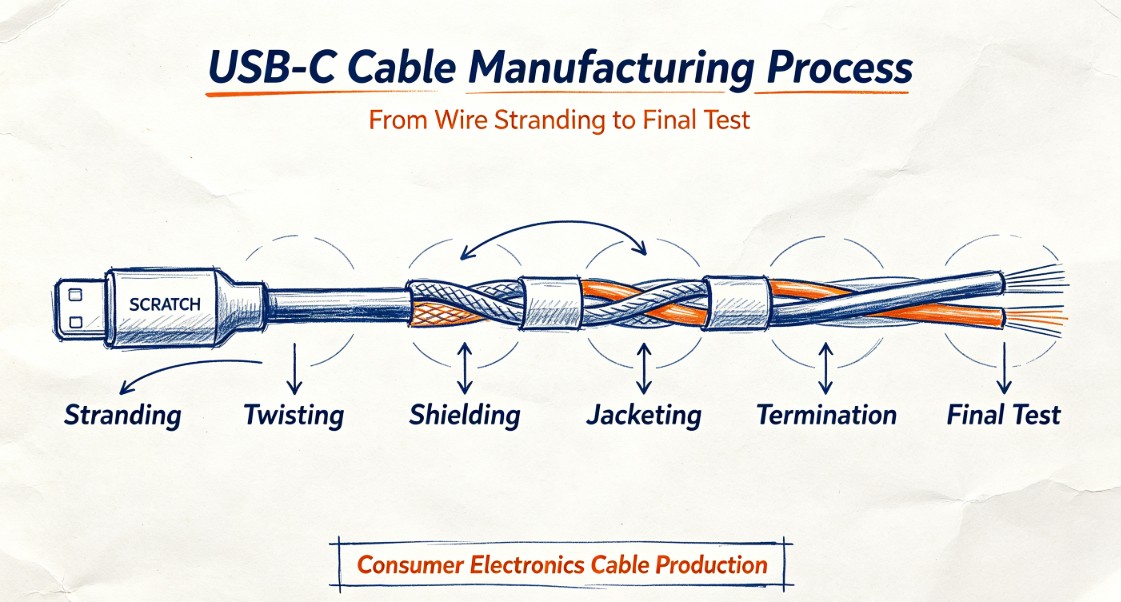
- Follow our USB-C cable manufacturing process to ensure molding and termination quality.
6. Overheating Under Load
Symptom
The connector or cable gets noticeably warm or hot during charging. In severe cases, the jacket may deform or smell.Root Causes
- High contact resistance at solder joints or connector pins.- Undersized conductors causing excessive I²R heating.
- Poor connector plating: Thin or uneven plating increasing resistance.
- No thermal protection: Design not derated for continuous high current.
Prevention
- Measure contact resistance during 100% inline testing.- Select proper AWG for continuous current.
- Specify connector quality and plating requirements.
7. How LINKSTRONG Prevents These Failures
Every custom USB-C cable project at LINKSTRONG goes through:- Design review: Conductor, AWG, shielding, and jacket material selected based on actual application requirements.
- Prototype testing: Bending, charging, data, and pull tests before tooling.
- IQC: Incoming inspection of connectors, copper, and jacket material.
- IPQC: In-process checks during stranding, soldering, and molding.
- FQC/OQC: Final electrical, mechanical, and appearance inspection.
We worked through these exact failure modes in our custom USB cable case study for a consumer electronics brand.
If you are developing USB-C cables for mobile accessories and want to avoid common field failures, <a href="https://linkstrongcable.com/contact.php">Contact LINKSTRONG Custom Cable Team</a>
. We also recommend reading our USB-C cable selection guide for mobile accessories before starting your next project.